#xcode
8 entries · All tags
-
#Xcode is quite frustrating lately.
- On-device debugging stops working after the first run, requiring device reboots.
- Xcode Cloud tests started failing even though running locally is fine.
- SPM requires endless cache resets whenever I switch branches (extra painful in one project that depends on the bloated AWS SDK).
- Xcode keeps forgetting list of recent files.
- Xcode's new AI prediction suggests lots of rubbish.Shouldn't Apple be dog-fooding this?
One SPM issue got resolved after I came across this snippet on Stack Overflow:
defaults write com.apple.dt.Xcode IDEPackageSupportUseBuiltinSCM YESNo more of these so far: "The repository could not be found. Make sure a valid repository exists at the specified location and try again."
The issue that #Xcode doesn't want to install on device is a little better in 16.1, but still happens. Found a way to address it without restart though:
1. Cancel the "download" of the app on device.
2. KillCoreDeviceServiceon the Mac.
3. Delete the app from the device.That sequence has worked every time so far. Usually 1 or 1+2 is enough.
-
PSA for #Xcode 15.4 beta:
If you get this error: “The server declined to authorize this image on this device for this user." errors when trying to run on a device”,
then delete your
~//Library/Developer/Xcode/[OS] DeviceSupportfolder. -
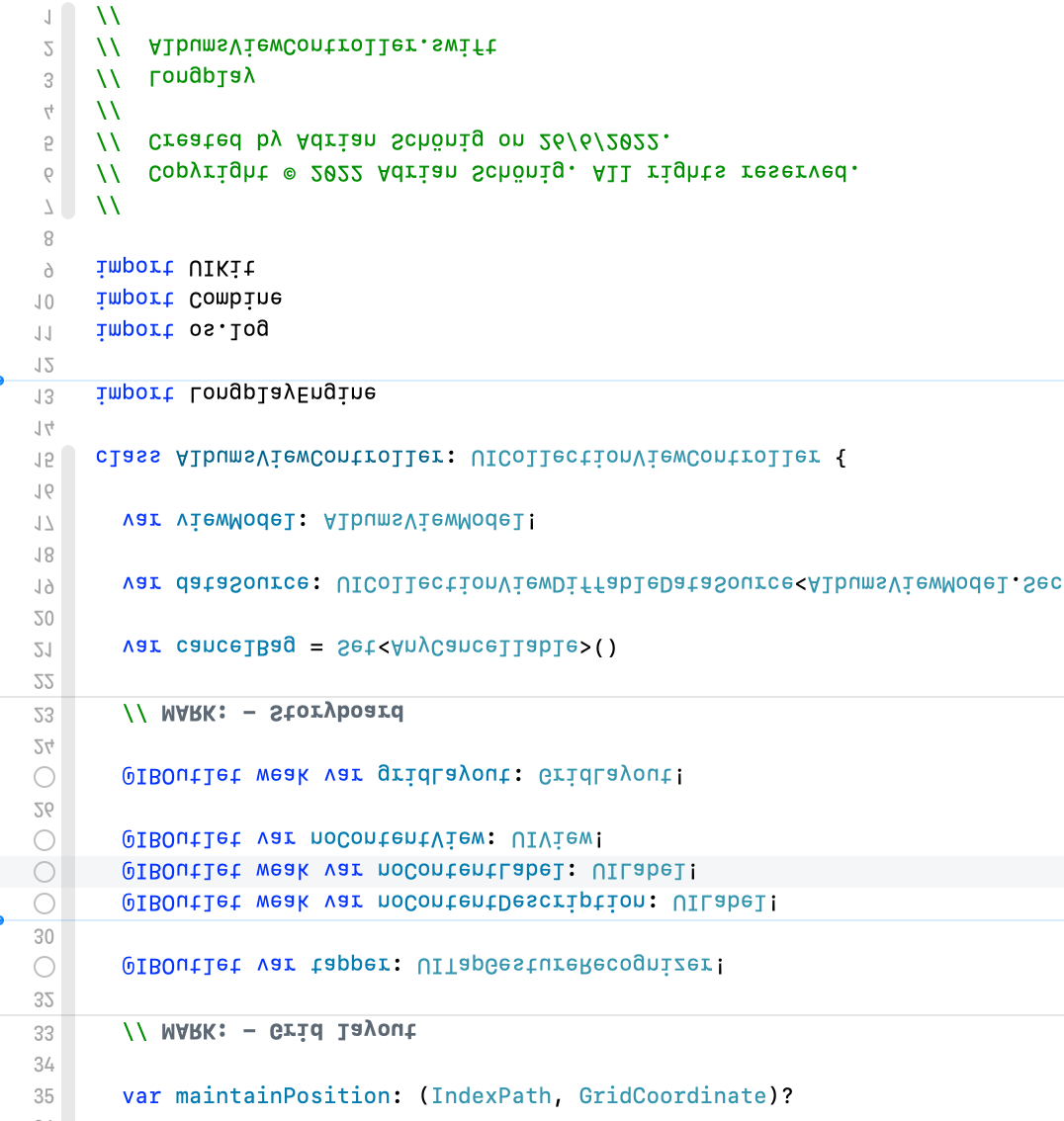
I think my #xcode finally realised that I'm down under.
-
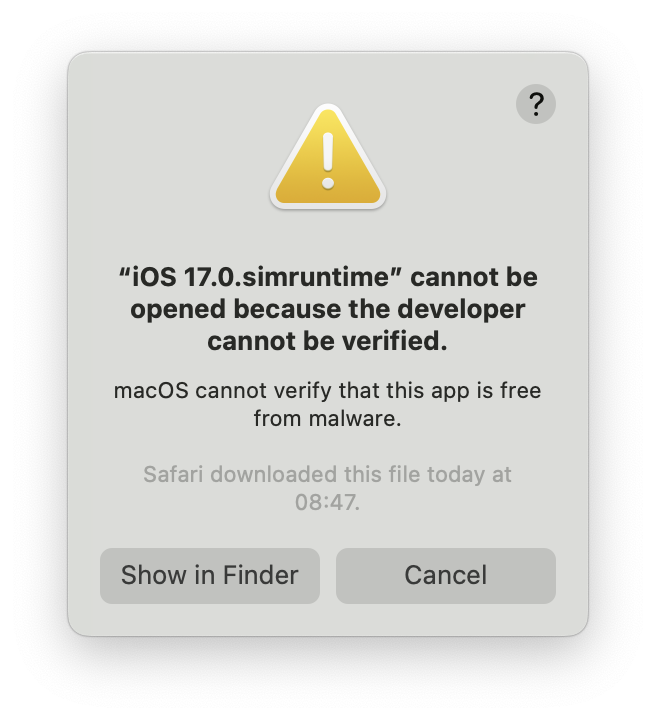
Those split up #Xcode downloads seem nice, but somehow my Mac doesn't like them and I get a dozen of these popups when I open the Xcode 15 Beta.
-
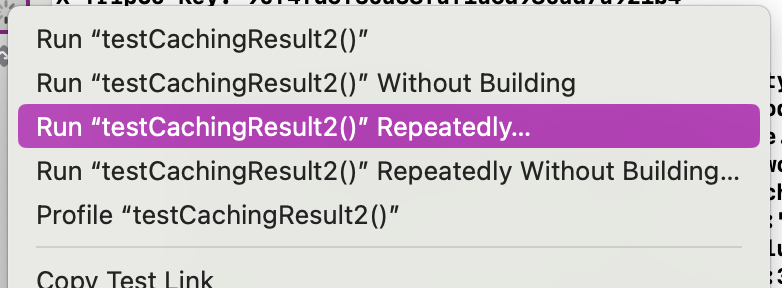
While trying to track down an annoying very rare test failure, I just noticed—and immediately embraced—the “Run Test Repeatedly…” option when right-clicking a test on #Xcode. Chef's kiss!
-
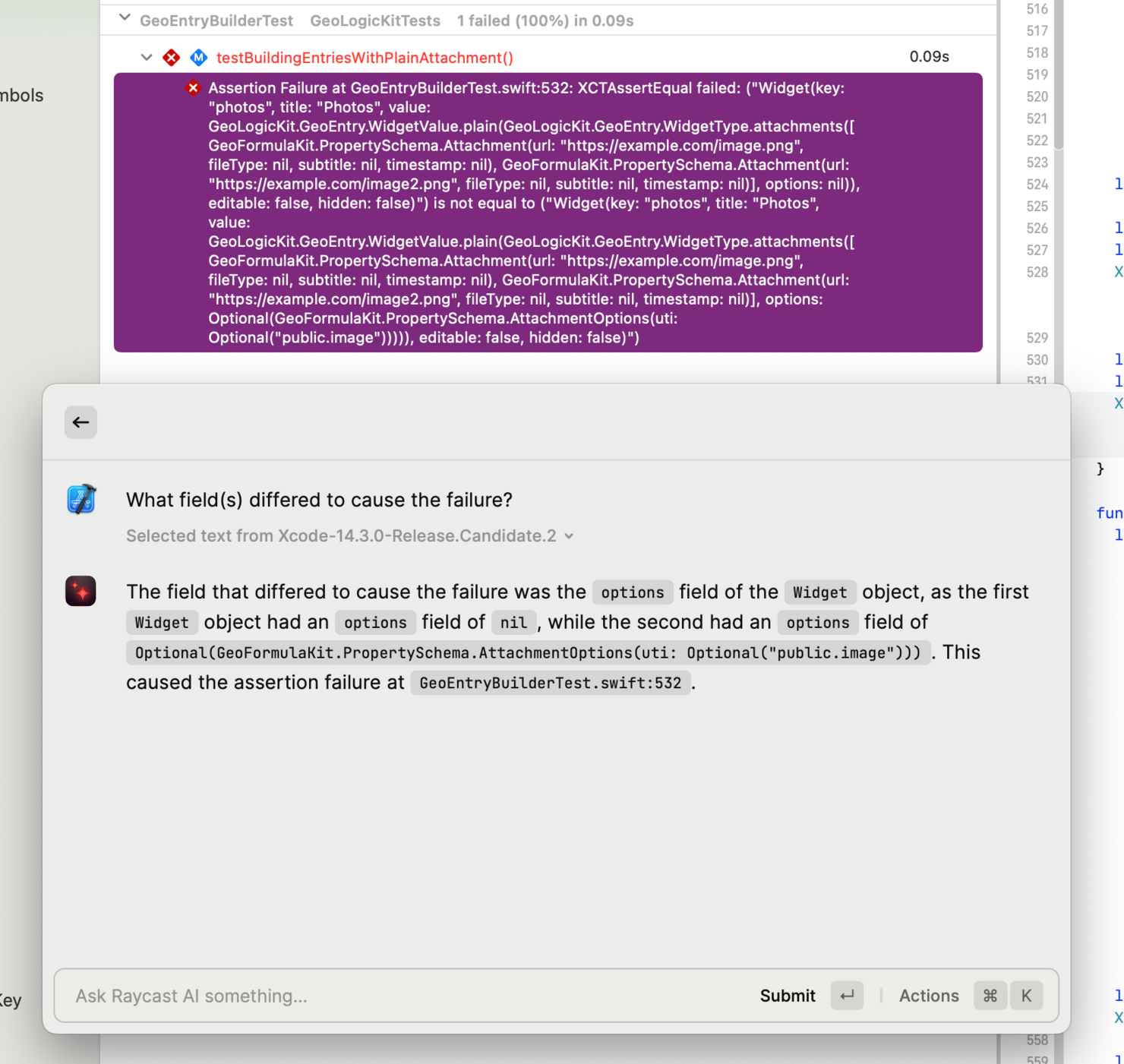
Bored with the long assertion failure messages that XCTest produces? I used to copy them into Kaleidoscope to diff them, but I'm now using Raycast AI for it and I love it:
- I've added an ^K hot key for its "Search AI command" action
- I can then select a failure in Xcode, hit that hot key
- Type a prompt to have it explain the failure (or pick from my recent prompts)
- Tada!