
Microblog – page 2
Um, yeah, I’ll stay on Sequoia a little longer.
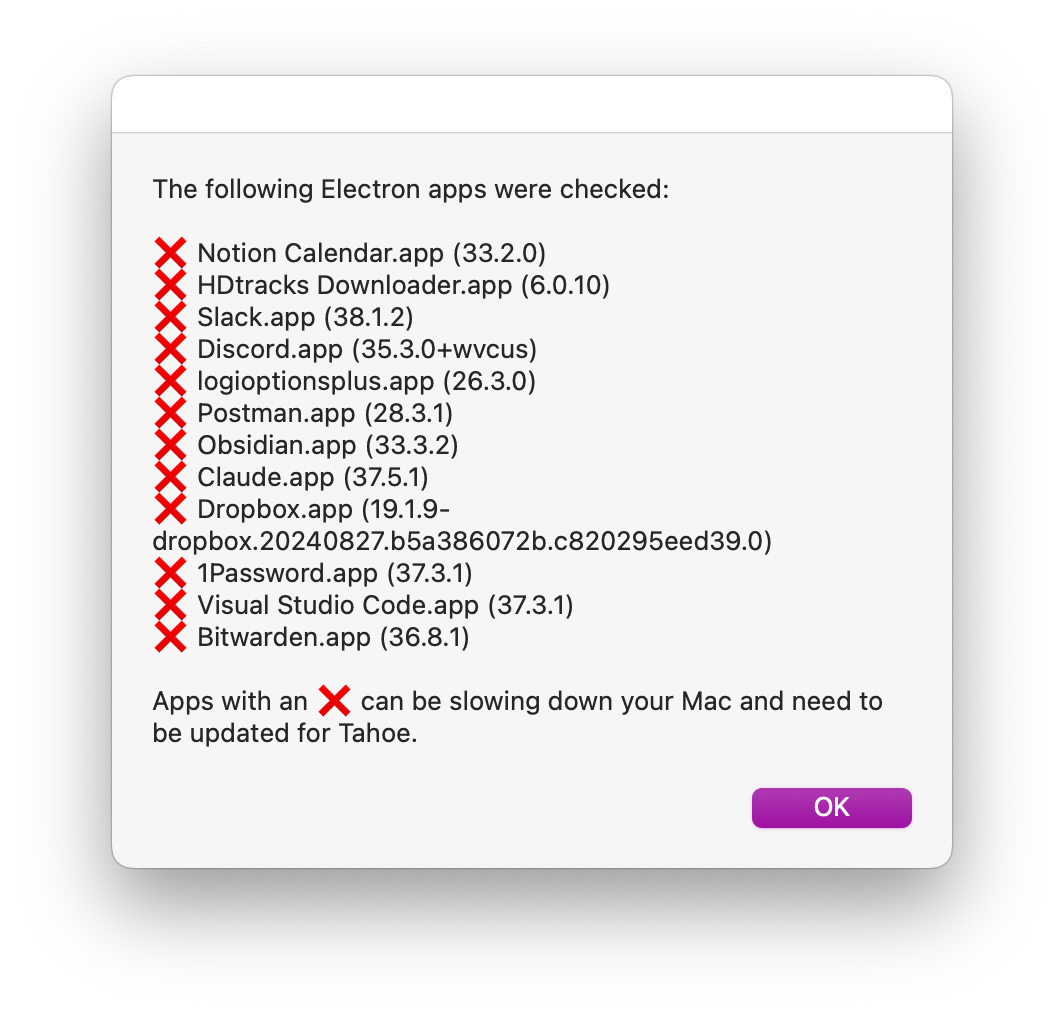
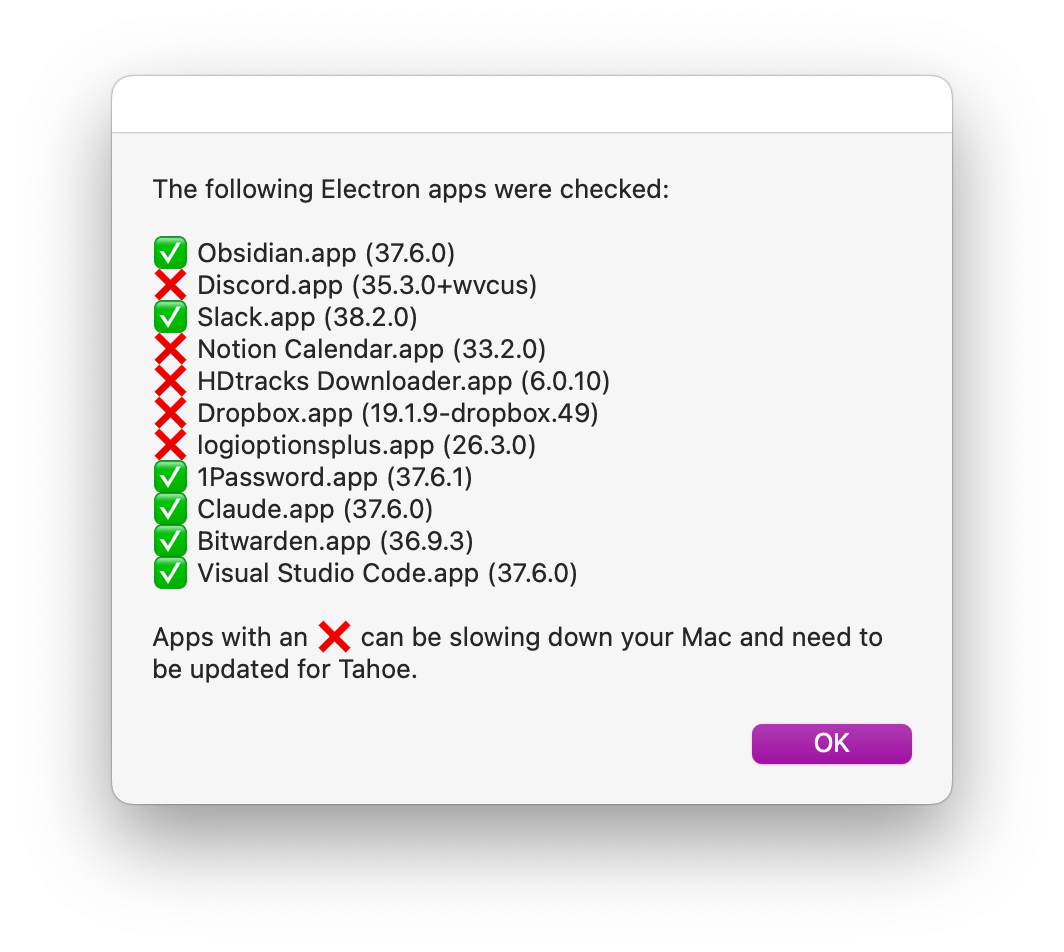
Slowly getting better. 6 are fixed, 5 to go. I had to manually update Obsidian as the auto-update doesn’t seem to update Electron itself for Obsidian, even though it did that fine for other apps. Odd.
Probably the most effective use of LLMs when it comes to coding for me is throwing extensive logs at it and asking it to highlight the relevant bits. Especially useful with sync issues with logs from multiple devices.
It’s 2025 and good old print is back with a vengeance.
It’s a shame that the plug is being pulled on LiveView Native. It was a promising approach for server-driven UI using my beloved #Elixir and #Phoenix. The real-time updates and no need for app updates were in many ways quicker to prototype than regular SwiftUI previews. (Though the macro-heavy and auto-generated code had horrible compile times.)
I found the overall concept compelling though and shall explore more light-weight alternatives like DivKit now.
Interesting details from Brian Cardarella with Jose Valim chiming in saying how LiveView is meant for HTML and they won’t budge, which is ultimately the death kneel for LiveView Native:
Uh, I love it when a nifty new feature finally comes together after many weeks of chipping away at it. 💃
Shame there’s still no support for local MCP servers in the ChatGPT Mac app. Claude Desktop is such a lousy Electron app and just doesn’t stack up.
Every album should have cow bells in at least one of its track.
R u ok, Calendar.app? (All I’m doing is swiping left/right between days.)
Gotta applaud Meta for doing live demos, even if they keep failing. It’s a human touch that’s just gone from Apple events these days.
GPT 5 is remarkably capable at making sense of a sequence of screenshots from the Xcode view hierarchy debugger, along with code and XML from xibs. It couldn’t quite fix the issues, but it definitely help me fix them quicker than doing it all manually.
This should really be built into Xcode though. Well, maybe next year.
Awesome to have Longplay featured here and in great company here includes TripView by @nickmaher, Health Kitty by @Amy, Crouton by @JustMeDevin, Dumb Phone by @michaeltigas, Petty by @zachsimone, Pestle by @willrbishop, Streaks by @qzervaas, and many more.
I worry how inconsistent macOS is gonna get thanks to Apple and Apple-only indie apps adopting the bubbly new look, while cross-platform apps stay on the classic/functional/flat look. Things weren’t entirely consistent before but many well-crafted cross-platform apps could (and did) feel right at home. That seems unlikely with Liquid Glass. I’ll stay on Sequoia for the time being to avoid that.
iPhone updates remain a bit underwhelming to me. I’m on an iPhone 14 Pro, which felt fresh back then as it was the first with the always-on display and Dynamic Island. Tempting new features for me since are the two physical buttons, USB-C, and camera improvements. Those are nice, but not AU$2000 nice. I’ll schedule a battery replacement for now which is less than a tenth of that.
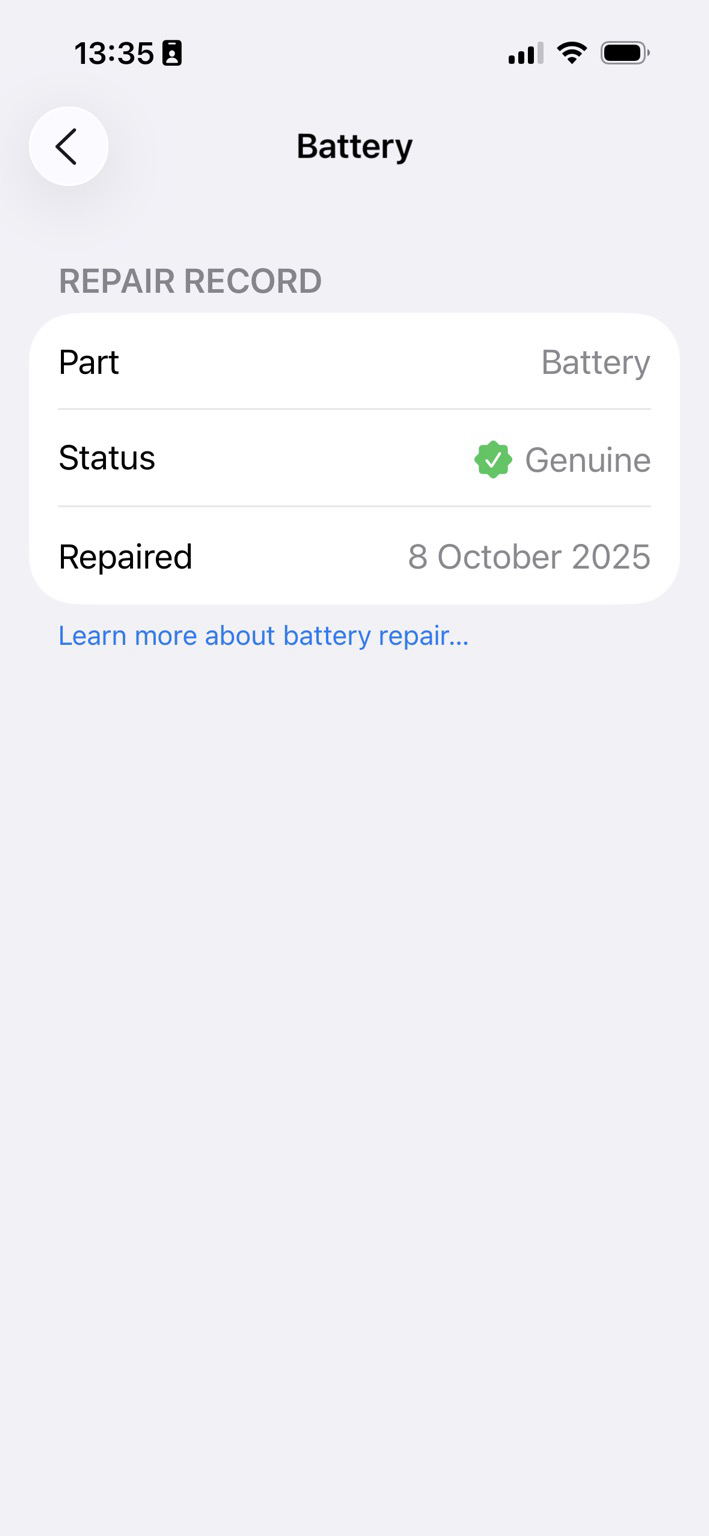
Woot woot. New Settings app item unlocked. Great to have 100% battery capacity again.
TIL that this comes with two years of warranty. If the capacity drops below 80% in that time, the replacement is free.
The lightning port on my 14 Pro stopped working a few months ago. That falls under the bulk “other repairs” item with Apple and costs a hefty AU$1000 or so. Will see what the local repair shop says…
Got early access to Wist and took some videos with my iPhone 14 Pro and then watched their 3D reconstruction with my Quest 3S. This is crazily similar to that memory scene from Minority Report – just that you wear a headset. The videos where I moved around a little turned out much more impressive than the ones where I remained in place. There’s just something striking to have videos replayed in 3D in life size even though you have those cutouts and occluded shapes everywhere.
Official website is https://wistlabs.com/ and there’s a good overview on UploadVR: https://www.uploadvr.com/wist-delivers-minority-report-memory-replay/
iOS 26 call screening is incredibly good. I had my phone muted for unknown calls the last few years thanks to all those data leaks from various big Aussie companies, that had lead to tons of spam calls. Glad to have my Super Mario ring tone back.
Good morning! Wishing you a beautiful day ahead. ☕️

Glad you remembered that one, ChatGPT.
Nice to see that #MusicKit on iOS 26 is getting some good improvements such as this: Played tracks in a third party app using the that application’s player now show up immediately as recently played in the Music app.
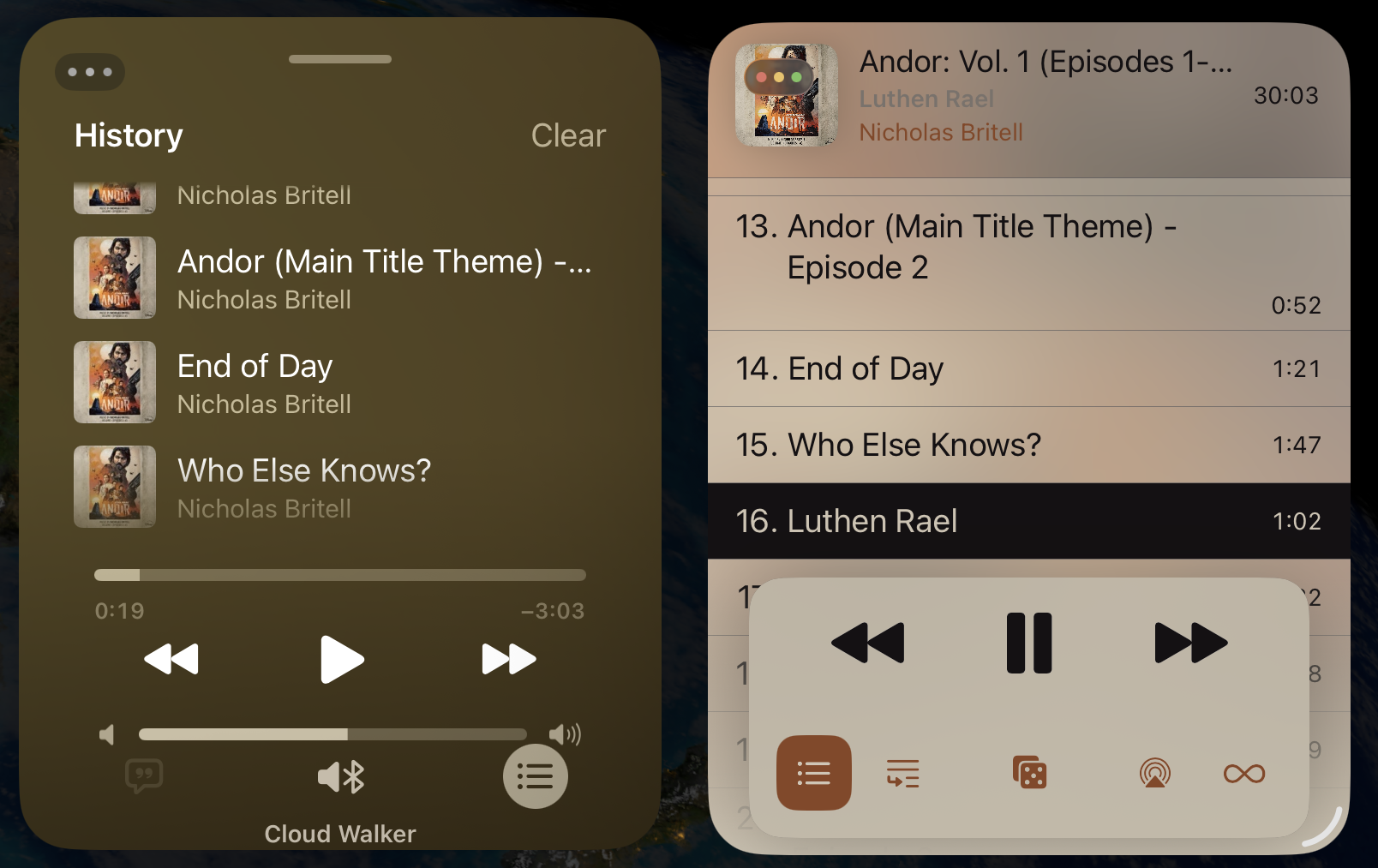
I’m used to mild and dry winters in Sydney, but this has been the wettest August since records began. It’s nice for my rain complication to confirm we’re getting a break from this.
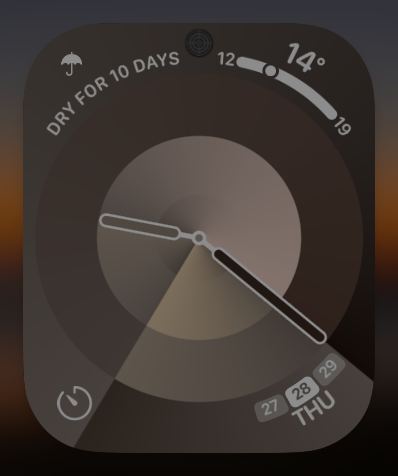
Upgraded to iOS 26 beta 8 this morning. App Library search didn’t work. App banners in Safari glitch into the tab bar. In the window behind, the background in Mail app’s sidebar keeps flickering. #shipit
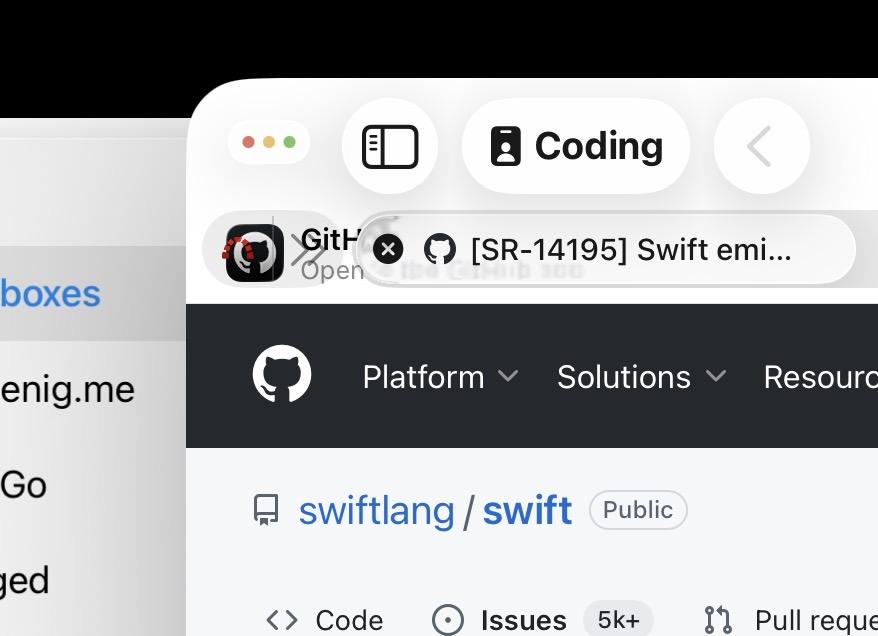
Hmm. Now my Apple Watch running watchOS beta 8 is stuck in sleep focus. Toggling the mode doesn’t work. Restarting it doesn’t work. Will probably have to wipe and reinstall it.
Left the Apple Watch on the charger for two days and it’’s working again. I guess it just needed to catch up on its sleep. It was nice not having a screen in close reach all the time, especially when I’m out and about, though I do miss that 24/7 health data. Seriously considering a smart ring now…
Good morning 🌅 #beachesofmastodon

Back from a long weekend in the Snowy Mountains. Lots of fun skiing, and I just absolutely love the countryside between Canberra and Jindabyne. The endless nature, clouds and evening lights are as stunning as a painting every time I’m there. Just marvelous.
The time between WWDC and the new OS releases is not my favourite. It’s a lot of bug fixing and chasing pucks, never knowing where they’ll go next. Sure, being ready on launch day gets extra attention (and that attention is vital for indie apps), but I much prefer the rest of the year, when I can build features I’m excited about, without touching Xcode or OS betas.
Treated myself to a Steam Deck a few weeks ago. I love that thing. I finally get to play all those indie gems in my Steam library that I bought on my Mac but never ended up playing there.
Making my way through my decade-long gaming backlog thanks to the Steam Deck. Recent highlights in no particular order have been: Steins;Gate, Talos 2, Dave the Diver, Titanfall 2, Jurassic World: Evo 2, and the Case of the Golden Idol.
The Steam Deck is shaping up to be my favourite tech purchase of the year. So many gems. I love that thing. Latest highlights were Talos Principle 2, I Was a Teenage Exocolonist and Little Problems.
AirPlay settings are still ignored by #MusicKit in macOS Tahoe beta 5.
The separate built-in process for third party apps that handles Apple Music playback doesn’t pick up changes to the AirPlay route of the host app. So the UI will indicate that the AirPlay route was changed but music playback ignores it.
I first reported this in macOS 14 days (FB13313634). Getting worried it’ll ship like this in Tahoe, too.
Urgh. Things seem to be getting worse with #MusicKit in Tahoe not better.
Just filed FB19491503: “Critical regression: MusicKit plays tracks alphabetically rather than in requested order”.
New playback mode coming in Tahoe.
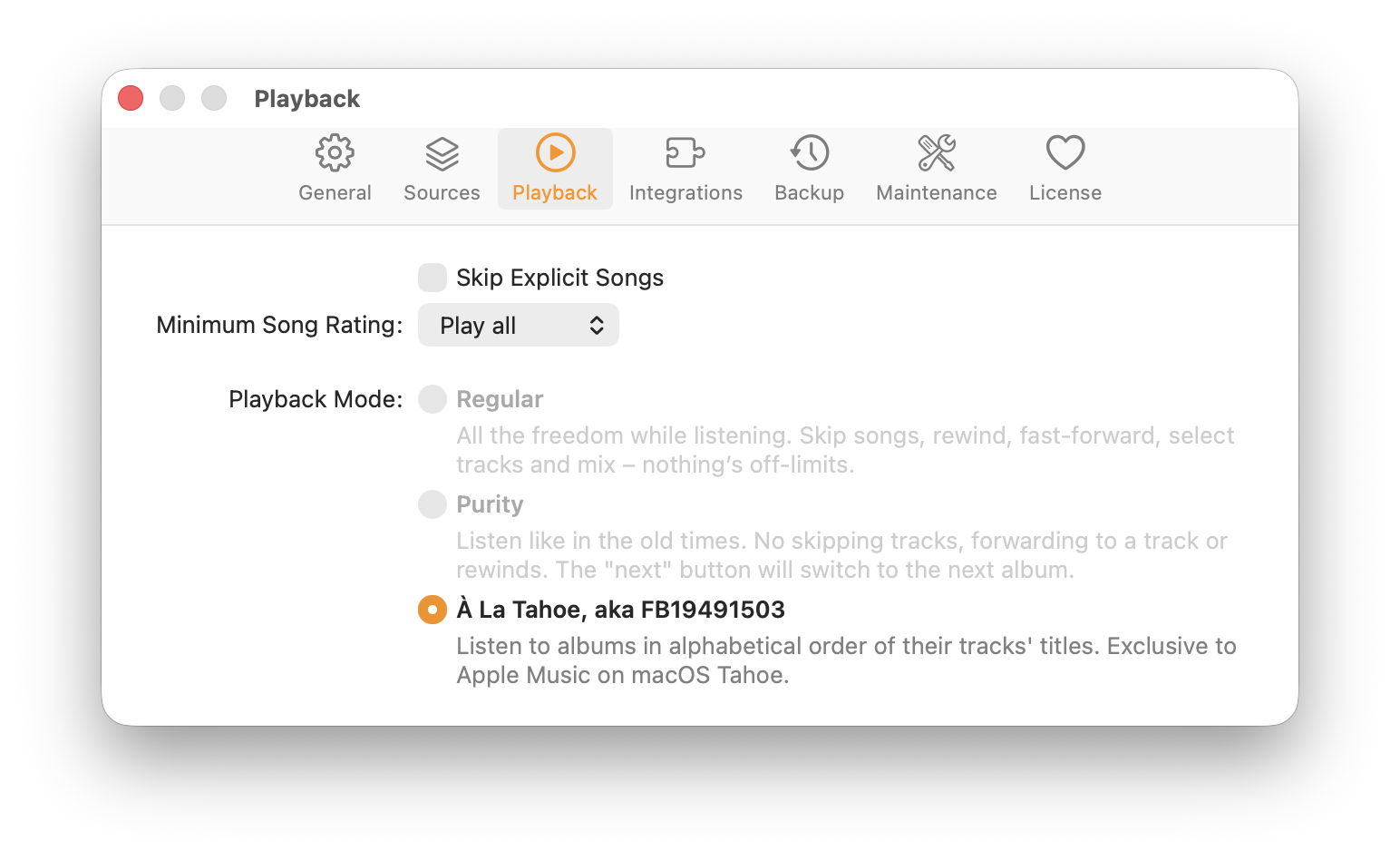
Little birdies tell me that a fix is in the works. Hooray!
Hooray. Looks like this one is fixed in #MusicKit on macOS 26.1. My other MusicKit-related radars, in particular about AirPlay or volume control, are still open though.
Using macOS Tahoe makes me miss Panic’s CandyBar.
I generally like Liquid Glass on my iPhone but a lot of icons just look blurry to my eyes. Photos and Health in particular are awful. Meanwhile the old school Firefox icon is as sharp as ever.
I feel you, CoreData.

The German language has +- prefixes for relative dates. Like “the day after tomorrow” is “übermorgen” and the “the day before yesterday” is “vorgestern”. You can also stack them up like “überübermorgen” for “two days after tomorrow”. Keep going and for “today” you could say any of these: heute, vormorgen, übergestern, übervorheute, etc.
Brilliant to see Longplay on MacBreak Weekly as @jsnell’s pick of the week: https://youtu.be/hPIA7qpi_Z8?si=l5_J9D0jQPPN5a3H&t=7389
It’s been zero days since I last had an app update sitting there pending for App Store review for over a day because I forgot the *second* click on “Submit for Review”. I really don’t get the point of that intermediary “Ready for Review” status…
Liquid Glass for Longplay on iOS is ready to ship.
Apple folks, I’m eagerly awaiting the arrival of UIVisualEffectView.cornerConfiguration.
Beta 4 and still no .cornerConfiguration property as featured in the WWDC videos.
https://developer.apple.com/documentation/uikit/uivisualeffectview
Correction thanks to @adam: It’s finally there, but not documented. Hooray.
Loved this demo of Longplay for Mac by Cult of mac. Nice discussion of the fun aspects and rituals of curating and listening to albums: https://youtu.be/Tsl02sH48zM?feature=shared&t=3005
The most impactful iOS 26 features for me personally are the call screening and SMS spam filter — by a huge margin. Such a quality of life improvement. It’s like back when spam filters first arrived for e-m@il.
TIL that you can search through your own toots by adding from:@username to the default search box.
Took a while, but great to see the sleep apnoea detection feature finally available on Apple Watches in Australia. Enable it in Health > Sleep.
https://ia.acs.org.au/article/2025/apple-watch-sleep-apnoea-feature-enabled-in-australia.html
Finally! After 3+ years of development, Longplay for Mac is shipping today 🎉
Built it from scratch as a native Mac app with AppleScript, MCP server for Claude, and all the album-focused goodness from iOS.
The journey from “let’s try Catalyst” to “wait, stuttering playback?” to “updating the dock icon fixes it?!” was… quite something. I love the result though.
Here’s my developer’s commentary for the launch: https://adrian.schoenig.me/blog/2025/07/15/longplay-for-mac/
Beautiful show by nature this evening.

Zen has been my default browser for a while, and I’m happy to use and support it. I really wish, though, that the development focus was less on “more” and “bigger,” and more on polish and speed of what’s already there.
Gotta say, GitHub’s Copilot pull request reviews are very neat when working on solo projects. I review my changes manually before I merge them but it catches things that I had overlooked. It supports all languages now.
The history of album art. This is lovely read. https://matthewstrom.com/writing/album-art/
Oi, folks, would you mind. I’m trying to avoid having to refactor a UIKit view to SwiftUI view by hand. I beg you.
Just realised that I started working on Longplay over 10 years ago. Time flies.
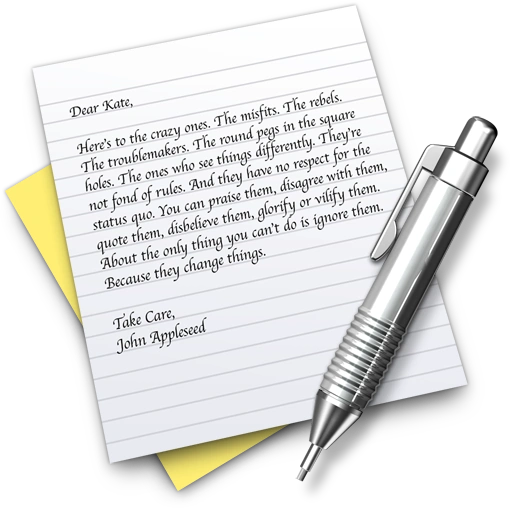
TIL that the “Here’s to the crazy ones” text disappeared from the TextEdit icon over 10 years ago. I thought it was still on there and was about to rant about it disappearing in Tahoe. Ah, well. That was such a nice touch.
🤞
The “Use Model” action in Shortcuts with its on-device / cloud / ChatGPT picker is an excellent way to prototype ideas for the Foundation Models framework and evaluate if the on-device model is capable enough for in-app use.
It’s one of those expedited-review kind of days. Oof.
Hey Claude, find MCP tools to watch WWDC videos, set up the tools and watch all the video, apply what you’ve learned to my code, and create appropriate well-tested PRs. Ultrathink or whatever. I’m off to the beach. Cheers.
Making my way through the various open #MusicKit radars that I filed over the years. So far all the same in macOS Tahoe. AVRoutePicker selection in particular is still getting ignored.
Had an insightful #MusicKit lab which made me optimistic that there are improvements coming. Fingers crossed, and thanks to the Apple Engineers involved. I’ll do my part and file and update related radars.
Shortcuts integration into Spotlight in macOS Tahoe is quite amazing. EntityQuery support could be improved but this a great way to trigger app actions quickly. If you have a Mac app, do add support for #AppIntents.
subscribe via JSON