
Microblog – page 5
The most infuriating thing about trying to get a broken MacBook back to work is looking at this abomination.
For goodness sake, don’t stick a Mercator projection into a circle; please use an orthographic projection. #mapstodon
Longplay for #visionOS is approved. I considered charging separately for the immersive experience, but I just don’t feel comfortable charging for something that I can’t support due to the US-only rollout. So it’s just part of the same universal purchase. Anyone got a USDZ of a tip jar that I can put in it? 🙃
Being at the beach in the early morning hours does wonders for my mental wellbeing. Perfect start into the day.

Great to see so many folks jump on the Vision Pro preorders. The thing I am most looking forward to is developers and designers being able to openly share their insights and what they learn from using the device and experimenting with different ideas. (And I hope the #visionOS labs continue, especially for anyone outside the US.)
And, yes, part of my hope for the labs to continue is so that I can occasionally immersive myself in this: https://indieapps.space/@longplay/111784865137236962
Is there no way in UIKit to do a custom animation from the preview of a context menu to a new view controller triggered from one of the menu actions?
I am stuck at getting the frame of the preview’s view. The previewViewController property of the UIContextMenuInteractionAnimating is always nil. I can hang onto it manually, but it’s not in the view hierarchy nor does it have a window, so I can’t get the frame that way either.
Is there a version of Tetris for the iPhone that supports hardware keyboards? I personally cannot stand Tetris with touch control, but this could be absolutely awesome for the Clicks* keyboard.
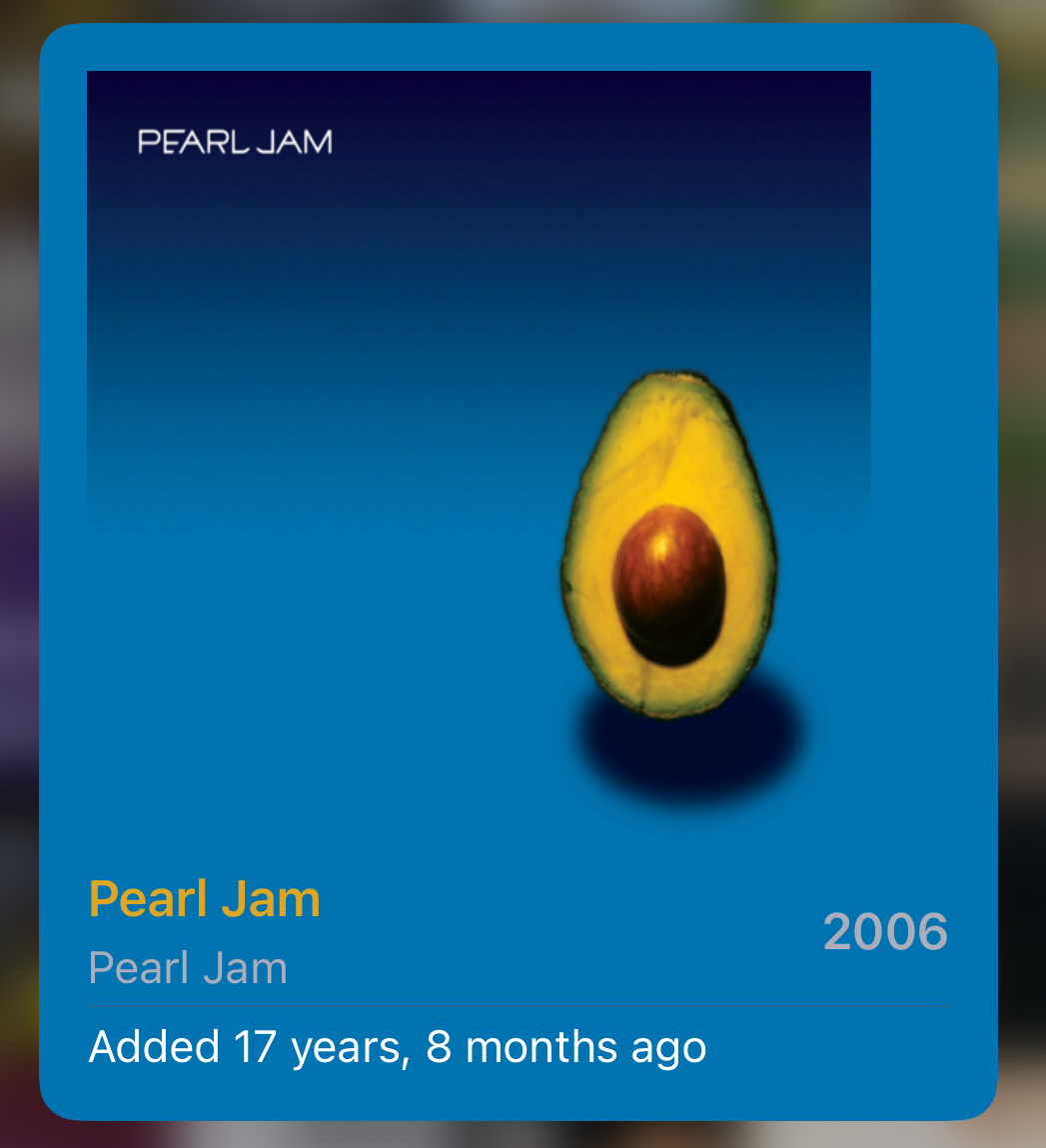
Shouldn’t be much longer until an artist in my iTunes music library is younger than the library itself.
A sweet use of multi-modal LLMs would be a UI testing framework where you provide a textual description of steps with expected results along the way, and it then runs your app or checks your website and does its thing. You could, say, provide a tutorial for how to do something, and it then checks if all that works as described.
Played through Life is Strange: Before the Storm the past evenings and am still going through the motions of the story. I loved the characters and narrative. In a game like this where my actions influence the story, I am much more invested in the characters compared to when I passively read a book or watch a movie. True gem. Now I hunger for more games like this.
Arachnids
Silly me. I keep forgetting about rule #1 of Aussie Coffee Making: Check your tools are free of spiders.

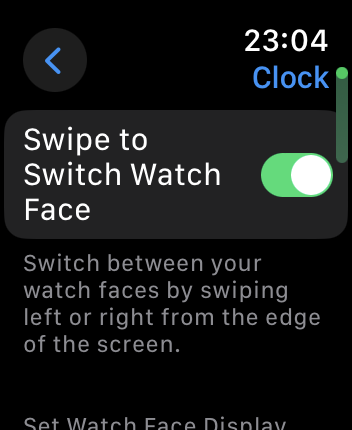
I missed swiping between watch faces. So nice to have this back! But why the H is this setting under “Clock”? I looked all over the place at first and did not think of checking there.
For All Mankind S4E6
That hug gave me the feels. 🥲
Got my prizes ready for today’s CocoaHeads quiz night.
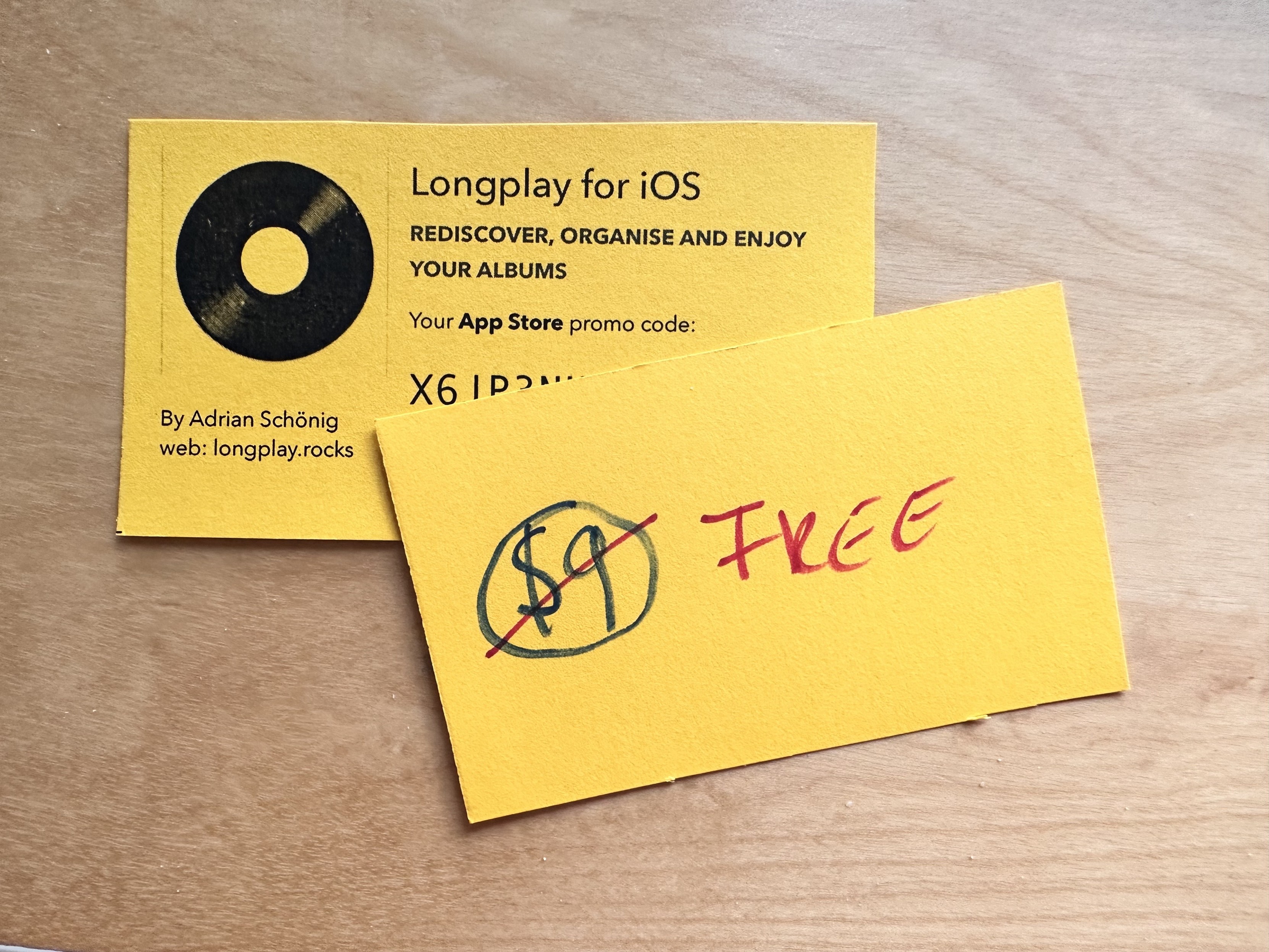
I am humbled and excited that Longplay 2.0 made runner-up for best app update of the year in the MacStories Selects 2023.
So many great apps in there: https://www.macstories.net/stories/macstories-selects-2023-recognizing-the-best-apps-of-the-year/
Feature request: A setting for the network link conditioner that says “On until 5pm”.
Quiz time: Who has two thumbs and has been browsing the web for 15 minutes like it’s the 90s?
Few things tell you as much about the #German attitude to owing money as that the German word for “debt” is the plural of “fault” and “blame”, and it shares the same root as “guilty”.
Debt = Schulden
That was my fault = Das war meine Schuld
He is to blame = Es war seine Schuld
Guilty = Schuldig
Keeping with the spirit of 2023, I’ll be hallucinating all my solutions to the Advent of Code.
Good morning! We had quite the downpour here last night, which resulted in a beautiful misty sunrise. Gotta love starting the day with a round of beach volleyball.

Catching up on tech news after I was away for the past days and, if I read this right, it seems like the safety-over-profit folks at #OpenAI scored a massive own goal.
I keep telling my past self that he’ll regret this decision but the bastard never listens.
For over 17 years I’ve created many hand-curated playlists in my iTunes and then Apple Music library. Since Apple Music came around, many songs in those playlists randomly get marked as unavailable. I can find most of these songs and fix it up manually, but this is really not cool. 😞
The Slack redesign got way more bearable for me after I learned about the cmd+K keyboard shortcut to quickly switch to a different channel or DM. I used the search field for that before and that was horrendous.
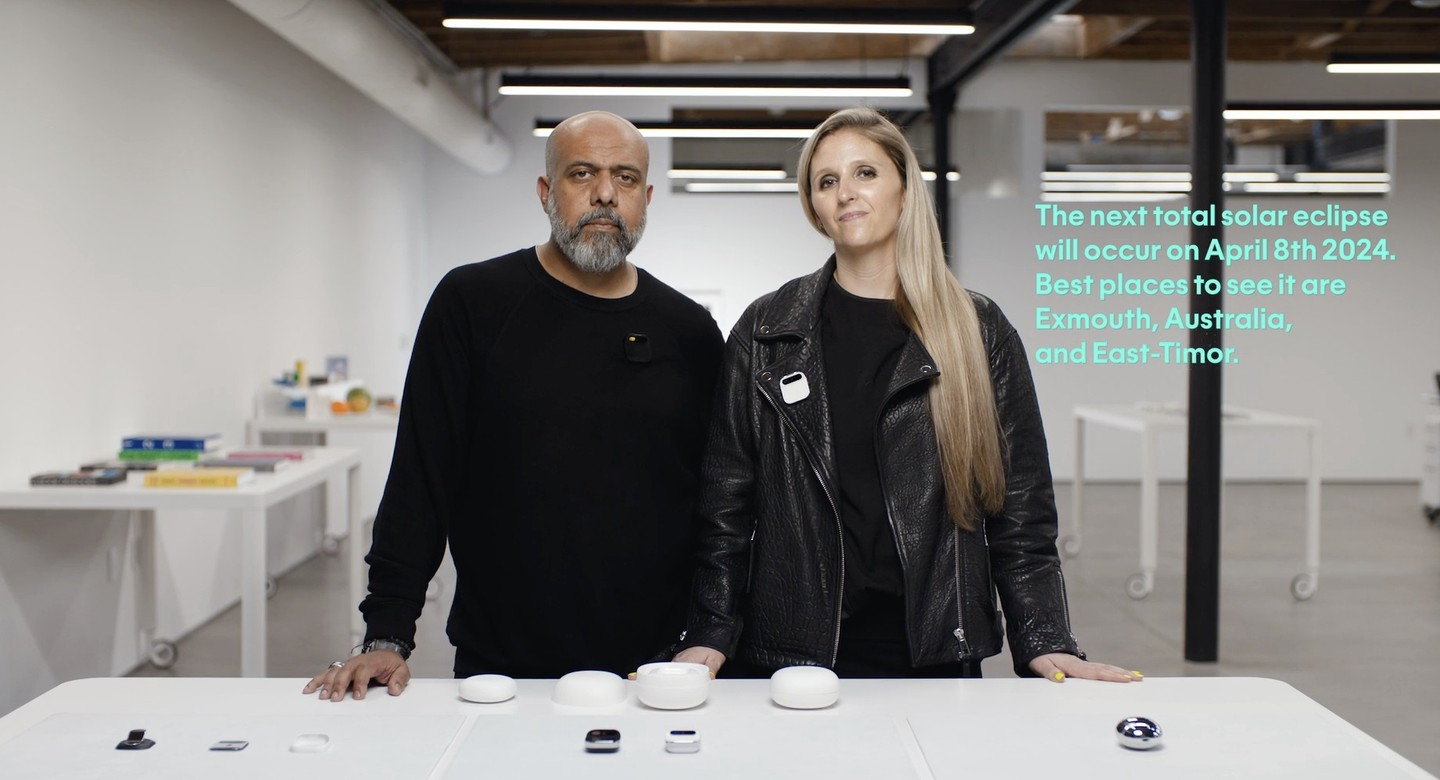
My vague interest in the #Humane AI Pin faded when they emphasised “we don’t do apps” and later referred to the suite of services from a handful billion dollar companies that it works with. The most exciting thing for me with any new platform or form factor is what it enables indie developers and startups to dream up and try out.
I’d love if the presenters went through and used their pin to book themselves a trip to Exmouth next April to watch the glory of the solar eclipse… as a replay on videos from the locals, as it already happened this April: https://www.abc.net.au/news/2023-04-20/hybrid-solar-eclipse-wa-exmouth-thousands-gather/102217232
Audible pricing is weird:
- Buy this audiobook now for $7.79
- Special: Buy it in a three credit bundle! Just $11.65 each!
- Checking Amazon: Buy the Kindle book for $3.99 and add the Audible book for $2.99.
https://www.audible.com.au/pd/The-Orville-Audiobook/B0B6GS7N33
These AI-generated t-shirt concepts for @longplay are awesome. I want them both! Is there any t-shirt print shop yet that let’s me do that?
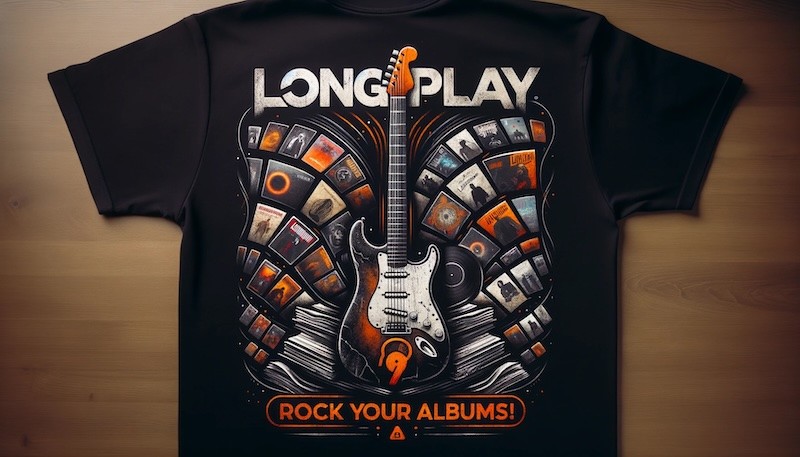
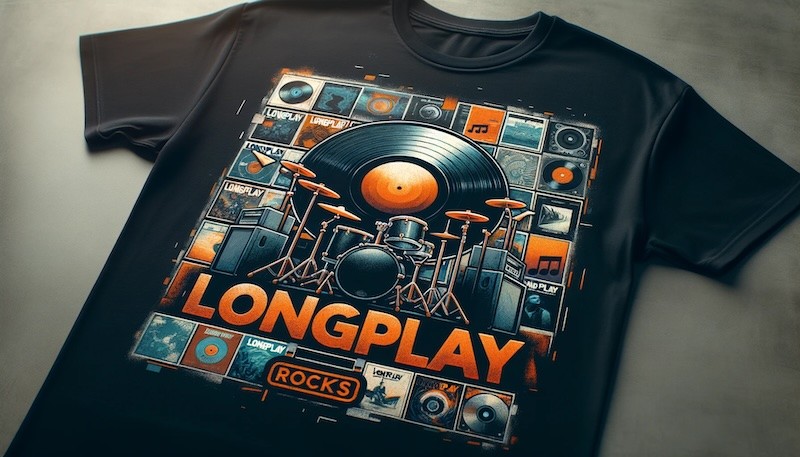
Building an iOS/macOS music player is an, um, *interesting* exploration of a history of Apple frameworks:
- AVFoundation (iOS 2, macOS 10.7) on the Mac to play non-DRM tracks
- MediaPlayer (iOS 2, macOS 10.12) on iOS to access your library and play tracks
- iTunesLibrary (macOS 10.13) on the Mac to access your library
- MusicKit (iOS 15, macOS 12.0) to play DRM-protected tracks on macOS Sonoma, and on iOS to access Apple Music information that’s not exposed in MediaPlayer
Good to see MusicKit evolve into being a more capable replacement of the others, though it still has a couple of rough edges and relies heavily on MediaPlayer under the hood.
Tempted by the Ray-Bans Meta smart glasses for the sole purpose of capturing some beach volleyball action.
https://www.theverge.com/23922425/ray-ban-meta-smart-glasses-review
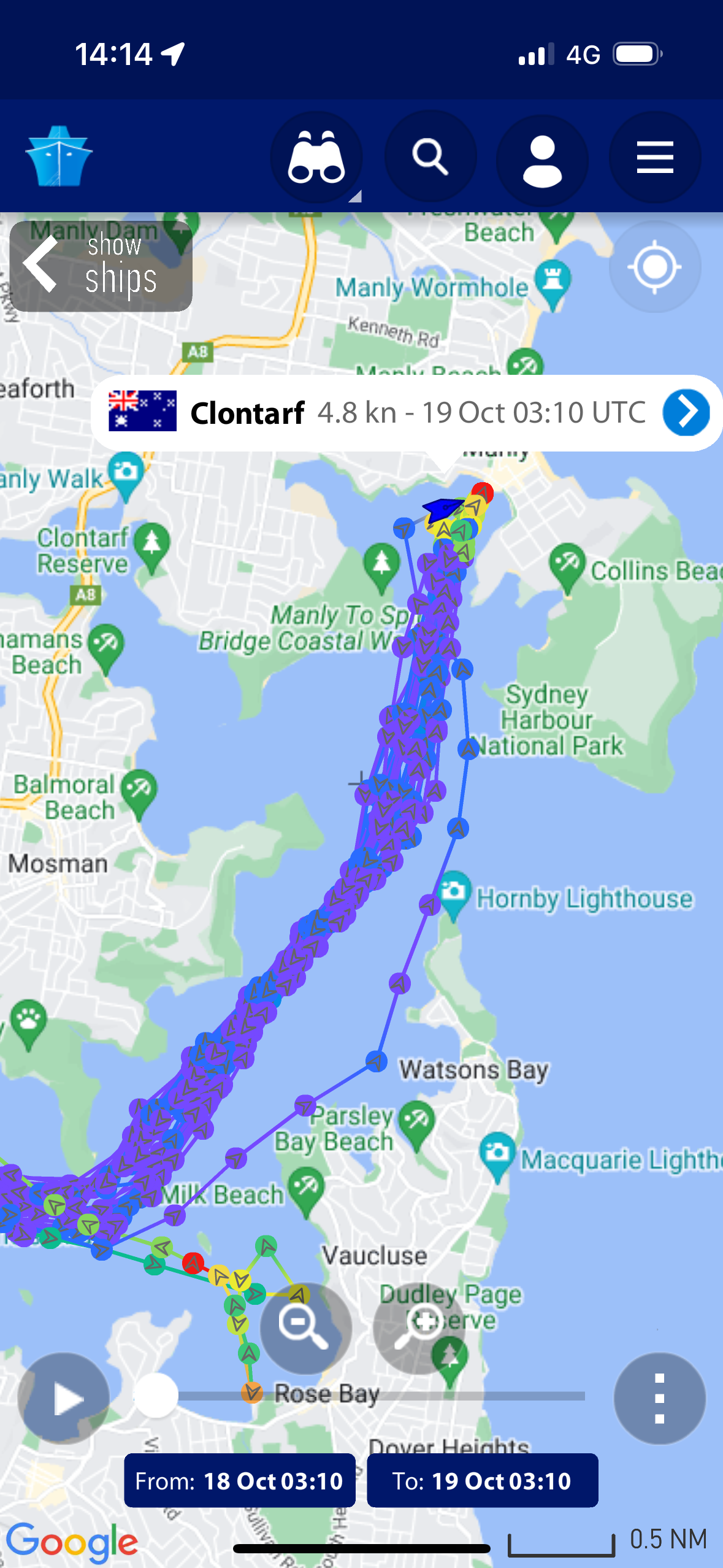
Making the best commute even better: My Manly ferry took the scenic route today going closely past Nielsen Park, Lady Bay Beach and even Fairlight Beach.

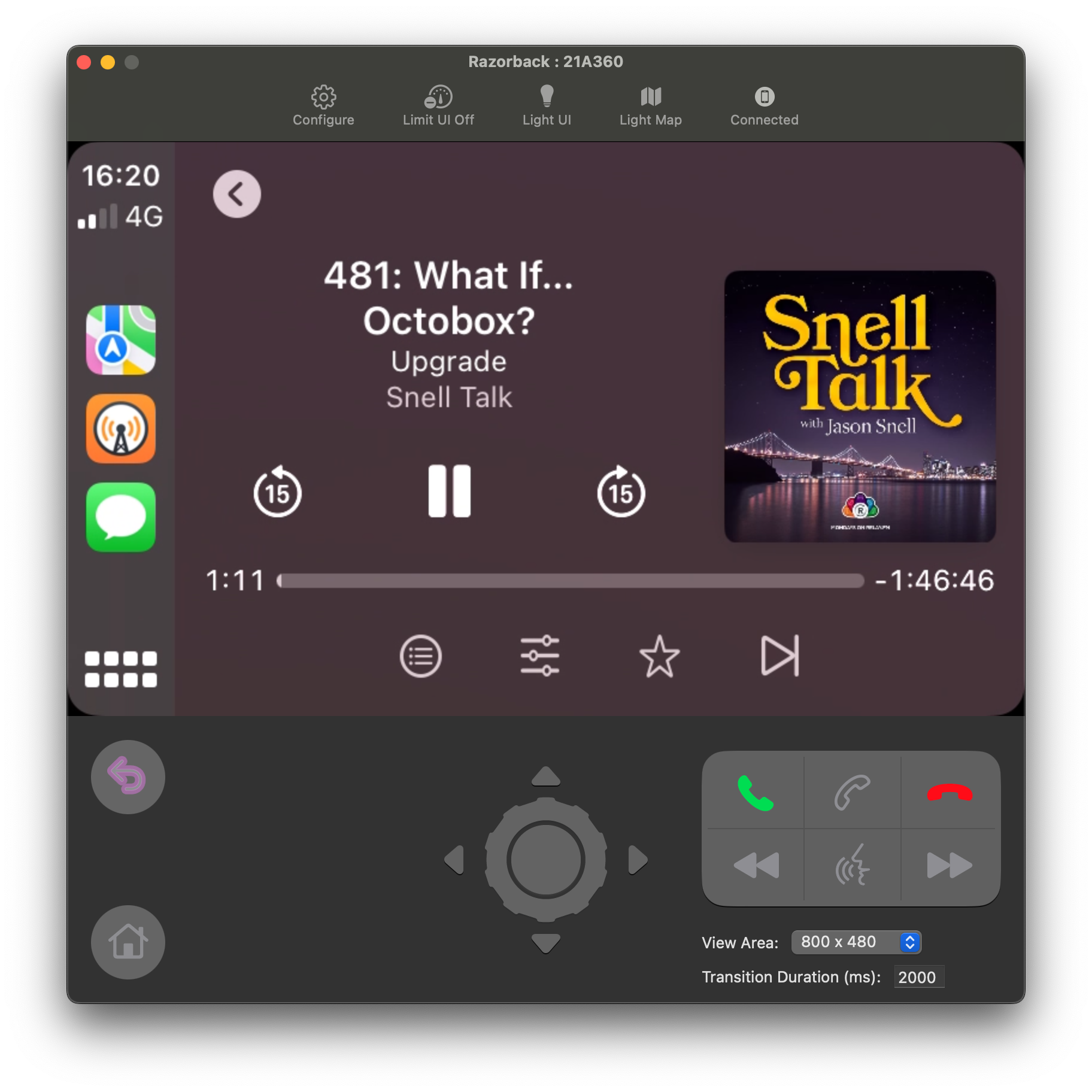
Listening to a podcast on my Mac through Overcast running in the CarPlay Simulator. As you do.
The #Lego Robot Inventor set is marked as “last chance”. Curious what’s coming next for #Mindstorms. I’ve had many, many fun filled afternoons over the years with this set with my kids (now 5 and 8). Not least due to the 5 main and 15+ community builds in the official app, and inspiration for alternative builds online.
Our now 7-year-old is having an absolute blast with the Robot Inventor set this school holidays. So glad I snatched it up back then. I wish at some stage there’ll be #Mindstorms content here again: https://www.lego.com/en-us/themes/mindstorms
Uh sweet, Viewfinder is 25% off. Always on the hunt for non-violent games to play with the little ones.
My favourite feature of the Apple Watch has to be those hourly reminders: “Oi, you have been sitting for almost an hour. Time to walk to the cookie jar and get yourself a treat!”
Stunning sunrise this morning

I hope the Sidecar feature on #VisionPro will be more reliable than the one on iPad. It’s so good when it works, but my success rate is probably 1 out of 3. That would be frustrating when you start to rely on it, and monitor replacement seems like one of the few “Pro” features of that headset.
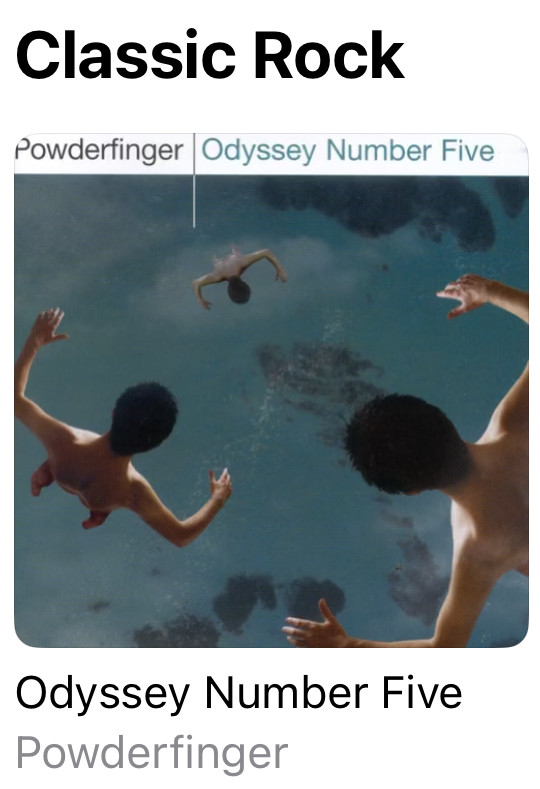
TIL that an album from 2000 classifies as Classic Rock.
If your bug report for @longplay includes a screenshot of an album playing, I will listen to that album while investigating your bug. That’s the rule.
Hmm, where do you even start with debugging the Monochrome style of iPhone widgets running on macOS Sonoma. Is that behaviour documented anywhere?
That’s better. I’ve fixed it by checking @Environment(\.widgetRenderingMode) and only setting colours including white/black in .fullColor mode. In other modes, like what Sonoma is using here, I’m sticking with the built-in primary and secondary styles.
Thanks to @adam to pointing me the right way.
Apple Watch lets you set the fall detection to “Always on” or “Only on during workouts”. What I want is “Always on except during (certain) workouts”. It likes trigger when I play beach volleyball and dive for a ball, and it’s mildly distracting if my watch calls 000* in the heat of a rally…
(*) Aussie equivalent of 911. Pronounced “Oh… Oh-oh!”.
Safari’s new “profiles” feature in macOS Sonoma is solid and I’ve switched fully back from Arc thanks to that. Big bonus is the passkeys integration; especially for logging into App Store Connect which has the memory of a goldfish.
🎶 In joyful strains then let us sing,
Purify Australian air. 🎶
It’s great to see indie apps highlighted by Apple whenever a new iOS rolls around.
Congrats to @qzervaas, @zachsimone (x2) and @charliemchapman – from the Aussie App Store.
I’m curious what an investigation like this would uncover in Australia. Similar duopoly of supermarkets here which also have a high prevalence of discounts.
Mail.app in macOS #Sonoma is unusable for me, as it always fails the upgrade import (FB13154213) and it gives no options to recover from that.
MailMate works well though.
I found StandBy mode in iOS 17 pointless during the beta period when I had it on my testing iPhone 12. I absolutely love it on my iPhone 14 Pro. This feature really needs the always-on display.
(And I always had turn my head sideways for my iPhone 12 to unlock with FaceID, but the 14 allows unlocking in landscape with no issue.)
Time to upgrade to an Apple Watch Series 9. My Series 3 lasted remarkably long, but watchOS has finally outgrown it.
Installed macOS Sonoma beta this weekend to try out the changes to #MusicKit. Can confirm that this lets me add #AppleMusic support to @longplay for the Mac. The previous way only worked through Catalyst and caused the Music app to spawn as soon as you start playing, which was hideous, but this now works independently and support AppKit. Woot woot.
The new players that let you do that are part of MusicKit and not the older MediaPlayer framework. I was hoping, that this means it’s not built on MediaPlayer as that occasionally blocks the main thread with XPC calls. Unfortunately, that’s not the case and it is MediaPlayer under the hood with the same occasional beach balls. Hope I can capture this in a feedback to report to Apple. Still great to have this!
Got Apple Music playback in Longplay for macOS Sonoma working pretty well now. For some reason, album artwork is no longer coming though on Sonoma though… ahh, you gain some and you lose some.
Called this a bit too early. Apple Music playback in Longplay via #MusicKit for macOS Sonoma has a blocker issue where it starts stuttering consistently a few tracks into an album. Console.app starts spewing errors from coreaudiod, which does not seem to be related to anything my app is doing. Filed as FB13262006. Hoping someone at Apple takes note of this.
Investigating this issue on different hardware. Curiously enough it doesn’t happen at all on my Intel-based Mac Mini. Playback there is flawless.
Might be an issue with Apple Silicon Macs. There is a big thread about people experiencing the same issue in other audio software with the exact same log message I am getting: https://discussions.apple.com/thread/254469643
The plot thickens.@sirshannon pointed out similar issues and it seems to be caused by the iOS simulator; requiring a reboot to fix. I rebooted my Mac and have been listening to 15+ mins without the issue re-appearing. Usually by this time the issue would appear.
That would make my Mac app rather useless for iOS developers. Leaves it useful for many, many people, but that would mean I can’t use it much myself as the main activity for which I use my Mac is iOS development. How cruel is that! :’(
Current status of Longplay for Mac: Just six open issues to tackle, but three of those are tagged with “blocked-by-apple”. One of them, the playback glitches from this thread (FB13262006), is a show stopper. I really hope a future update to Sonoma fixes it as I don’t want to launch without Apple Music support.
Having said that, if you own the music in your Music library, then there’s no need to wait. Longplay is already pretty sweet and works well for non-DRM-protected albums.
It’s available in Early Access at https://adrianschoenig.gumroad.com/l/longplay
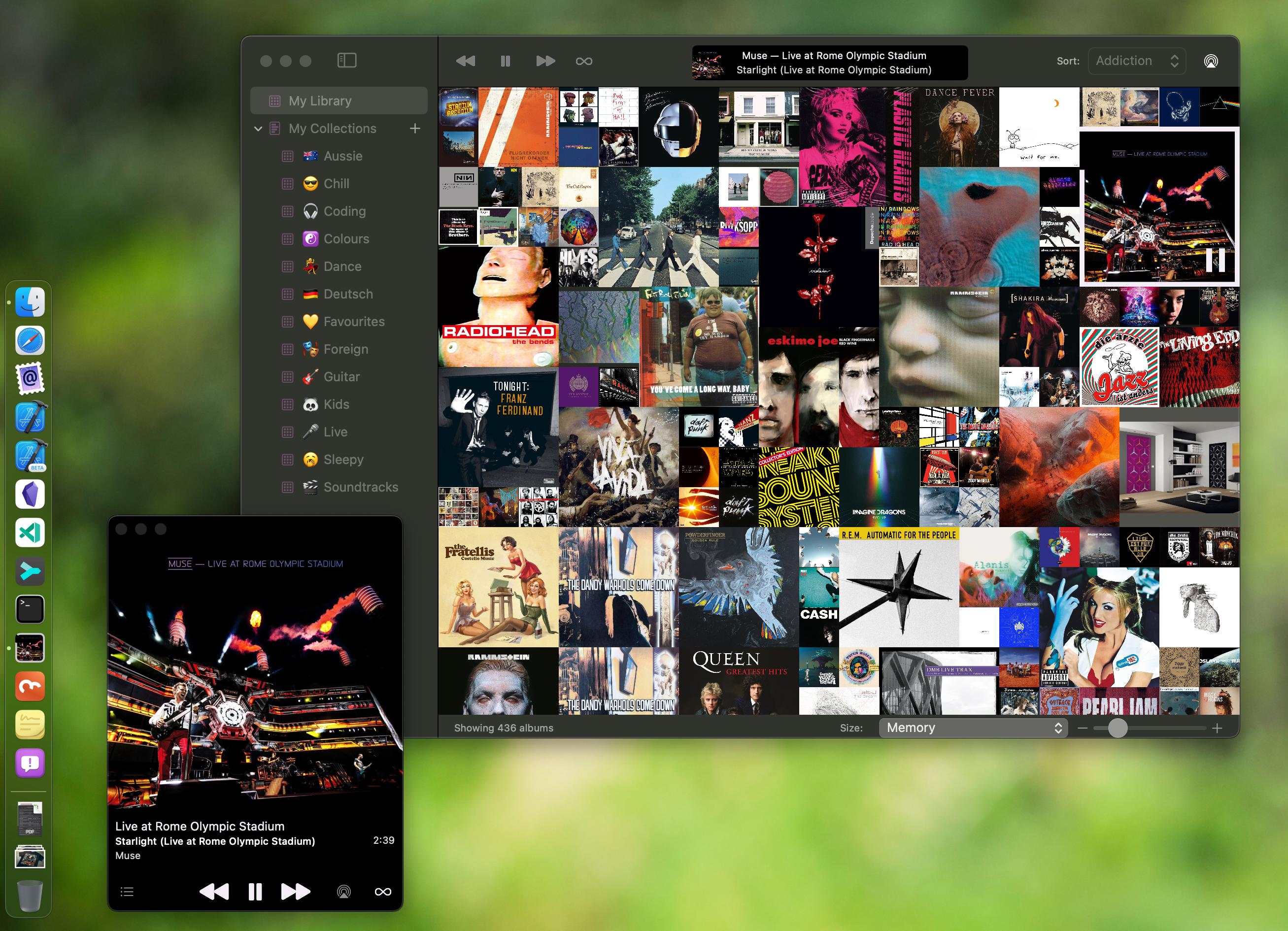
As Longplay for Mac is progressing, so is its little brother, RadarTunes: a Mac app for Apple engineers on the #MusicKit team to reproduce the various issues that I bump into along the way.
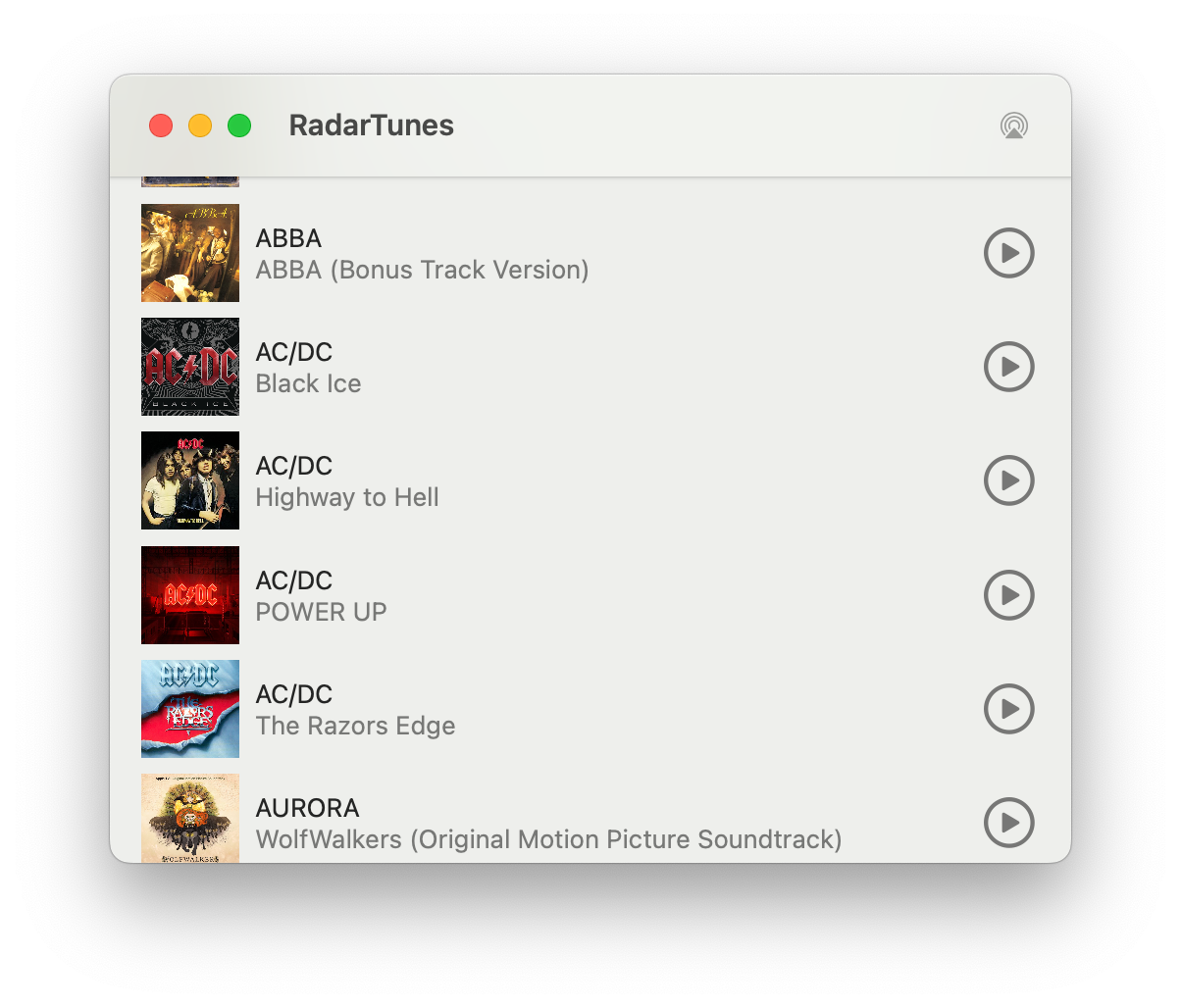
macOS Sonoma 14.3 is out, but sadly the #MusicKit bugs that block the release of Longplay for Mac are still there.
- FB13262006: Playing Apple Music through ApplicationMusicPlayer starts stuttering after a few songs
- FB13418245: Apple Music playback using ApplicationMusicPlayer prematurely stops tracks
Uh, good news on the Longplay for Mac front. Interesting discovery regarding my #MusicKit issues: They are triggered by the WiFi setup. On a recent road trip everything was working without stuttering or skipping tracks. I took our 5G router along, which I also use for my internet at home, though there it’s behind a Netgear Orbi. And, indeed, playback is fine back home if I use the router directly. Now to figure out what exactly might be the cause for and then to confirm with my existing testers.
This is killing me. Identified the issue of tracks getting skipped (due to Low data mode; easy to work around), but the stuttering prevails sometimes occasionally randomly. Some days it starts after a few minutes, then today I’ve been listening to it for hours with no issues whatsoever. What’s happening.
(╯°□°)╯︵ ┻━┻
A nice upside of my on-going issues with MusicKit on the Mac is that it makes me purchase more albums as playback of non-DRM’ed files is flawless.
Apple Music playback glitches (FB13262006) are still there in macOS 14.4.
Wait… is this possibly, maybe, actually, finally fixed in macOS 14.5? Or is my Mac playing tricks on me?
Nope, not fixed in macOS 14.5. This bug in #MusicKit still prevails and it remains a blocker for the release of Longplay for Mac. Fingers crossed for macOS 15…
Digging a bit deeper into the specific errors message fromHALS_OverloadMessage.cpp that pop up in Console.app, and similar issues with audio glitches have been reported with various Apple Silicon Macs since 2020 when using various audio apps, including Apple Music, Spotify, Logic, etc.
Curiously, I *never* get this in Longplay for Mac with my low-level audio player of non-DRM’ed files though, only when using MusicKit. Hmm.
[1] https://community.spotify.com/t5/Desktop-Mac/Crackling-Clipping-Noise-on-Macbook/td-p/5016088/page/4
[2] https://forums.developer.apple.com/forums/thread/132423?page=14
[3] https://discussions.apple.com/thread/254469643?sortBy=best
Longplay for Mac update: The low-level playback glitches in #MusicKit are still present in macOS 15 beta 1. It got a *lot* better in macOS 14.5 with no (persistent) glitches if the app has at least one window visible, like the mini player. However, it still glitches badly if all windows are closed or are obscured by other apps, the screensaver or the lock screen. I’ll leave it in Early Access for now (https://buy.longplay.app/l/longplay).
Longplay for Mac update: While the #MusicKit glitches are still present in the latest macOS 15 version and my feedback to Apple (FB13262006) hasn’t received movement since June, I *might* have accidentally stumbled on a workaround by making the app, um, less efficient. Will do some more testing and then prepare a new build… 🤞
Hooray! No playback issues anymore in my extensive usage over the last days. That means no more show-stoppers for Longplay for Mac.
Little proof of concept for visualising Longplay’s album metrics (addiction, negligence, recency, etc.) as a spider chart. Not terribly useful on the widget without a legend, but fun to play with and the #SwitUI animations look pretty.
Pretty happy with this now: The spider chart starts small in the corner, tap it or the album artwork to swap them. The maximum value gets a dot and label. #ShipIt
Oh my, I completely missed that there’s an episodic Expanse game by Telltale. It’s focuses on Drummer. Instabuy. https://www.telltale.com/the-expanse/

subscribe via JSON